Fear Me Discord Server: How to Join & What to Do If It Fails
Type: Community/How-to · Updated: Jun 18, 2026 · Tags: fear me discord, community, invite, adult server
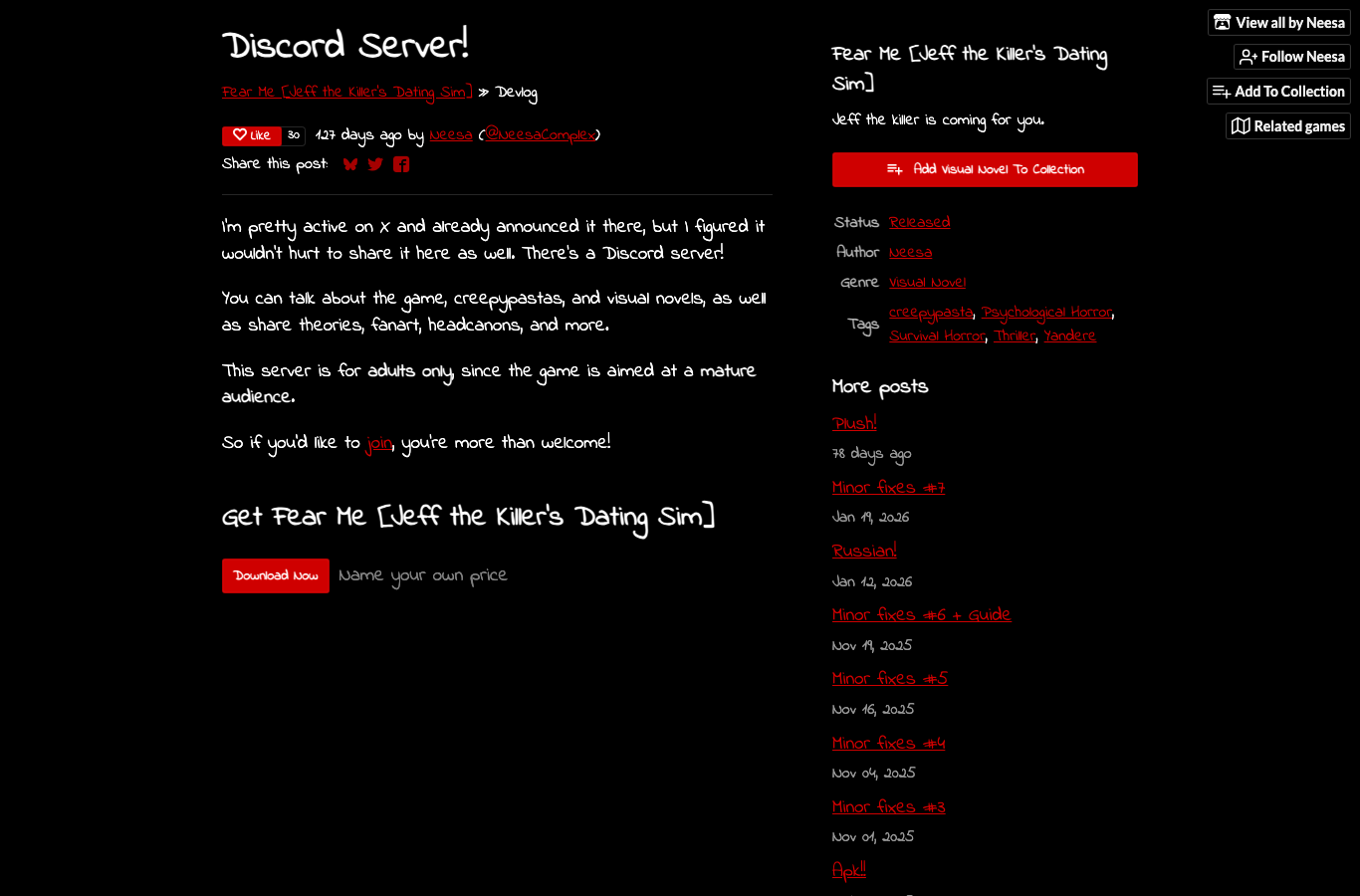
Players looking for the Fear Me Discord server usually want one of two things: a place to talk about the game without spoilers, or help when the invite does not work. The official devlog makes the intent clear. On Feb 5, 2026, Neesa posted “Discord Server!” and said players could talk about the game, creepypastas, visual novels, theories, fanart, headcanons, and more. The same post also states that the server is for adults only because the game is aimed at a mature audience.
Where the Official Invite Lives
The invite is in the official itch.io devlog post titled Discord Server!. That matters because the invite can change, expire, or require a join request. If you saw the link on a reposted image, in a comment, or in a random social post, double-check it against the official post before trusting it. For a mature indie game, community invites are often the first thing people mirror badly.
The devlog text is simple: talk about the game, creepypastas, visual novels, theories, fanart, headcanons, and more. That means the server is not just for bug reports. It is also a place for people who want to stay inside the game's mood after finishing a route or two. If your main goal is learning every ending, the walkthroughs page is still the more focused tool. Discord is for conversation, not route accuracy.
Why the Invite Might Fail
| Problem | Likely Cause | Fix |
|---|---|---|
| Invite says you cannot accept | You may need to accept the request or the link may be capped. | Open the official invite from the devlog and try again once. |
| Age check blocks you | The server is adults-only. | Do not bypass it; the server is not meant for underage users. |
| Link opens but nothing happens | Browser settings, app handoff, or stale invite data. | Try Discord desktop, then mobile, then a fresh browser session. |
| Invite expired | Temporary or capped invite link. | Return to the official devlog for the latest link or community note. |
| You joined but can't see much | Role gating or read-only channels. | Read the welcome instructions and accept the rules first. |
What to Check Before You Ask for Help
Before assuming the server is broken, ask yourself three things. First, are you using the official invite from the official devlog? Second, are you old enough to join an adult-only community server? Third, are you trying to join from a device or network that blocks Discord handoff links? Many “it won't let me join” reports turn out to be a browser or age-gate issue rather than a bad invite.
If the link says you can't accept the invite, try the Discord app itself rather than a browser embed. Sometimes the invite has already been accepted on one device and Discord is just waiting for the confirmation screen. If the invite seems dead, reload the official devlog and check whether the link is still current. If you are only looking for theories or fan discussion, the itch.io comments and the community page can be lighter-weight alternatives.
What the Server Is Good For
The server exists for the kinds of conversations that do not fit neatly into a game page. That includes reaction screenshots, fanart, headcanons, theories about routes, update chatter, and general creepypasta talk. If you are the kind of player who wants to compare route impressions with other fans, Discord is better than trying to infer everything from search results.
It is also a practical place to notice when the community is asking the same questions repeatedly. You can see which endings people are chasing, which builds they are on, and whether a confusion wave is about the current version, a translation issue, or a save problem. That is useful context if you are writing or reading guides like the save troubleshooting page or the language guide.
What Not to Do
Do not use random invite mirrors. Do not share the invite in places that ignore the adults-only note. Do not treat the Discord as an official support desk for every bug before checking the game page, your platform, and the current version. And do not assume “invite failed” means the community is inaccessible. A lot of the time it just means Discord wants a slightly different handoff path.
Fallbacks If You Still Can't Join
If the invite still fails after a clean attempt, start with the official itch.io page and the devlog list. Those pages give you the same creator context without depending on the invite. If you only want updates, the devlog list is enough. If you want troubleshooting, the comments on the main game page often surface the same problems other players have already solved. If you want route theory or story talk, keep the Discord link bookmarked and try again later rather than forcing it in a broken session.