Fear Me Latest Version 1.2.6: Official Download, APK & Extras Menu
Type: News/How-to · Updated: Aug 3, 2026 · Tags: fear me latest version, FearMe 1.2.6, extras menu, official download, guide PDF
If you searched for the Fear Me latest version, the useful answer is not just a number. You need to know which files are current, which source is official, whether the Android APK is safe, where the Guide PDF lives, and what actually changed. As of this check on August 3, 2026, the official itch.io page lists the FearMe-1.2.6 file set, and the most recent devlog — “Update!”, posted July 30, 2026 — describes the v1.2.5 changes: a few dialogue fixes plus a brand-new Extras menu for reviewing every ending you have unlocked. This page is the stable hub for that question; the older v1.2.3 article now redirects here.
Quick Answer: Current Build
The current official file set is FearMe-1.2.6 on the itch.io page by Neesa. The download list shows FearMe-1.2.6-pc.zip (257 MB), FearMe-1.2.6-mac.zip (252 MB), and FearMe-1.2.6-apk (284 MB), alongside Fear Me Guide.pdf (3.6 MB) and the credits text file. There is no separate devlog post for 1.2.6, so the last documented change is still the v1.2.5 “Update!” post.
The real headline of that update is the Extras menu. Before it, tracking which of the nine endings you had seen meant keeping your own list. Now the game shows the endings you have unlocked, which makes a completion run far easier to plan — you can see what is missing instead of replaying routes you already cleared. The rest of the update is dialogue fixes, so it does not rewrite affection thresholds or the final choice.
That distinction matters because players often type Fear Me latest version when they actually mean one of three different things: “Which file should I download?”, “Did the ending route change?”, or “Can I update without losing saves?” The answer is different for each one. If you only need the newest official file, use the v1.2.6 download list. If you need the ending route, the affection logic in our True Ending guide still applies. If you are mid-run on a high-affection save, read the save section below before touching your browser data or APK install.
| Player Question | Current Answer | Best Next Step |
|---|---|---|
| What is the Fear Me latest version? | FearMe-1.2.6 in the official download list; last devlog covers v1.2.5. | Use the official itch.io page, not a repost. |
| Is FearMe-1.2.4 still current? | No. It is now version history. | Keep old saves, but download v1.2.6 for a new install. |
| Did v1.2.5 / v1.2.6 add Chapter 2? | No. The documented addition is an Extras menu. | Treat it as a quality-of-life update, not new story. |
| Where can I see which endings I unlocked? | In the new in-game Extras menu, added in v1.2.5. | Use it to spot missing endings before replaying. |
| Where is the Guide PDF? | On the official itch.io download page with the game files. | Use it for endings and score calculation. |
Official Source and File Names
For the Fear Me latest version, start with Neesa's official itch.io page. The linked “Update!” devlog is the most recent change log, and the download list on the main page is the current source for the v1.2.6 files. A safe file should follow the official naming pattern: web zip for browser hosting, PC zip for Windows/Linux desktop play, Mac zip for macOS, and APK for Android. If a site gives you a file called "Fear Me full unlocked", "Fear Me mod menu", "Fear Me latest APK 2026", or anything that drops the version number, treat it as unverified.
This version page should also solve a common confusion: the browser build and the downloadable build are not the same user experience. Browser play is convenient and good for trying the game. Desktop play is better for long ending runs because you control the local game folder. Android is convenient, but APK updates need more care because uninstalling first can remove app data. If you are choosing today, pick the official PC or Mac zip for route hunting, browser for a quick test, and APK only from the official page. For reference, the current downloads weigh roughly 257 MB (PC), 252 MB (Mac), and 284 MB (APK), so plan for that on mobile data.
What Changed in v1.2.5 and v1.2.6?
The July 30, 2026 “Update!” devlog is explicit that this is mainly a few dialogue fixes, with one real addition: the Extras menu for viewing all the endings you have unlocked. The file list then moved to v1.2.6 without its own devlog post, which normally signals a packaging or small follow-up fix rather than new content. Neither version is evidence for new endings, a sequel, or an expanded route.
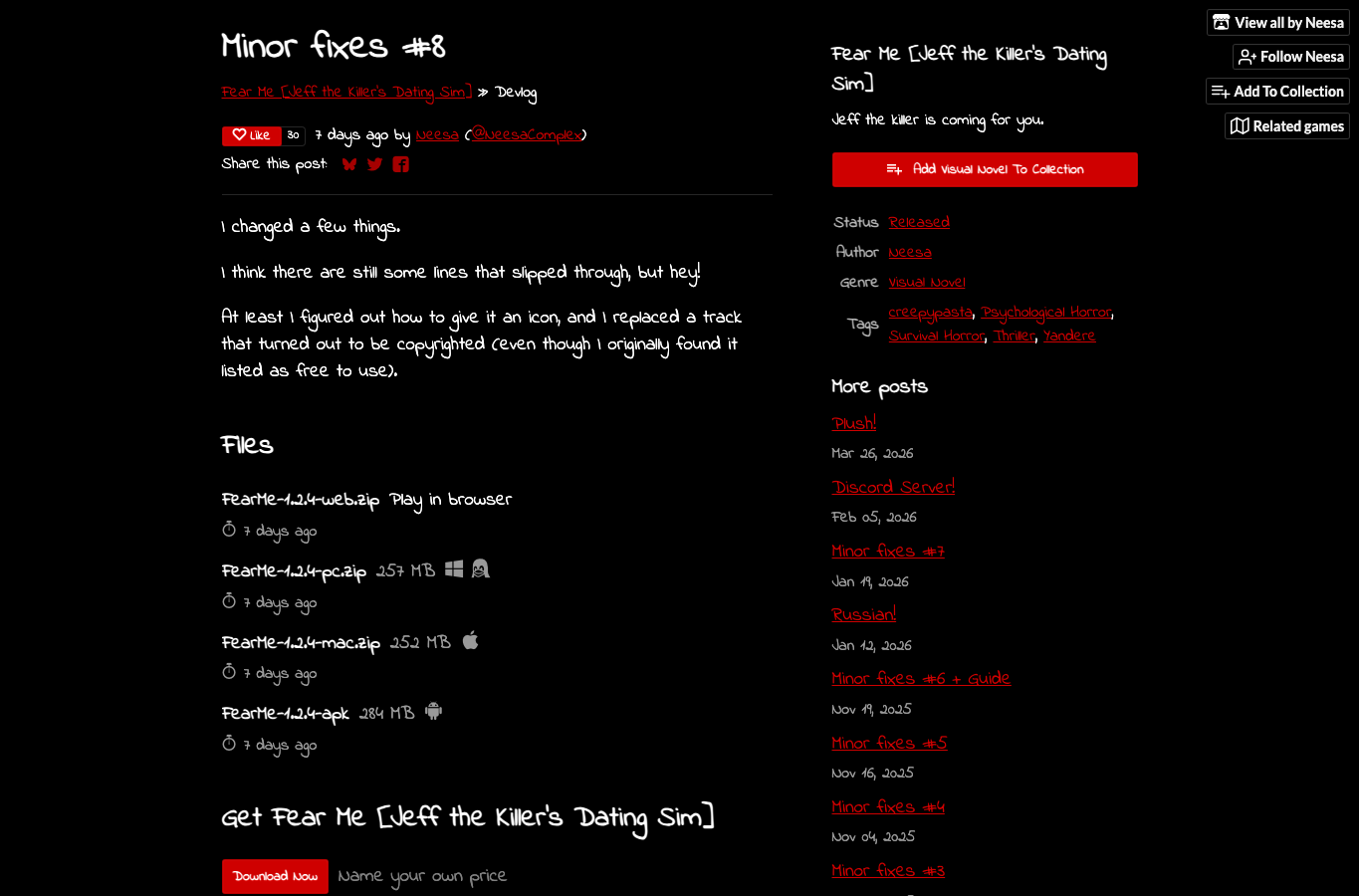
For context, the earlier v1.2.4 build (Minor fixes #8) was the one that added a game icon and replaced a music track that turned out to be copyrighted. Players who already finished the story on v1.2.4 do not need to replay it because the file number changed — but the Extras menu is a genuine reason to open the new build if you are chasing full ending completion. Players starting fresh should choose v1.2.6 because it is the cleaner current package.
This is why the version-check question belongs in a hub instead of on the homepage. The homepage should stay stable for new players: what the game is, who Jeff is, how many endings exist, and where to play. Version pages can update more often without disturbing the ranking signals that already work on the homepage. If a future v1.3 appears, this hub can change while old version URLs remain as history.
Guide PDF, Endings, and Score Help
The current build still needs the official Fear Me Guide.pdf if your goal is ending completion. The PDF was added earlier with Minor fixes #6 + Guide, and it remains important because Easy Mode hearts only show local choice feedback. The guide helps with ending requirements and score calculation. If you are trying to reach the better Jeff route, use the PDF with a save plan rather than replaying the final scene over and over.
The practical setup is simple. Download or open v1.2.6 from the official source, keep the Guide PDF in the same folder or browser bookmark set, and create manual saves before major route turns. Do not mix a current v1.2.6 run with screenshots from an old v1.1.1 post and then assume the game is broken. Most "route broken" searches are really version mismatch, save overwrite, or reading the wrong guide for the wrong build.
Safe Update Notes
Before installing a newer build, confirm what kind of player you are. Browser players should open the game and check whether saves still appear before clearing cache or site data. PC and Mac players should keep the old folder until the new build opens correctly. Android players should avoid uninstalling the existing app first unless they are ready to restart. Linux players should use the official PC/Linux-compatible zip rather than a random package mirror.
If you already have a clean v1.2.3 route and only care about finishing an ending, you can finish the route first and update after. If you are starting over, use v1.2.6 immediately. If you are debugging a save issue, do not update and troubleshoot at the same time. Change one thing, test it, then move to the next. It is slower, but it is how you avoid turning one small version question into a lost-progress mess.
FAQ
Is FearMe-1.2.6 the Fear Me latest version?
Yes. The official itch.io download list currently shows FearMe-1.2.6 files for PC, Mac, and Android. The most recent devlog (“Update!”) documents the v1.2.5 Extras menu and dialogue fixes; there is no separate 1.2.6 story post. This page was checked on August 3, 2026.
Is there a Fear Me 1.2.6 APK?
Yes, the official file list includes a FearMe-1.2.6 APK (alongside the PC and Mac zips). Use the official itch.io source and avoid APK mirrors that rename the file or add extra installers. Older FearMe-1.2.4 APKs are version history only.
Does the newest build include a new ending?
No public official note says v1.2.5 or v1.2.6 adds a new ending. Treat them as quality-of-life and packaging updates (including the Extras menu in v1.2.5), not a story expansion.
How do I use the Extras menu for Ending 9 and completion runs?
Open Extras after a “New Ending Unlocked” notification. The menu should list endings you already cleared so you only replay gaps (including Ending 9 / True Ending). If the notification fired but the list stays empty, treat that as the unresolved Extras tracking discussion on the official “Update!” devlog — check the notification first, keep your save, and do not assume the ending route itself is broken. For route steps, use the True Ending guide and the walkthroughs hub.
Should I use this page or the old v1.2.3 page?
Use this stable Fear Me latest version page for the current answer (FearMe-1.2.6). The old v1.2.3 URL remains available because some players and search results still point there; that archived URL now redirects readers to this hub’s current file guidance.