Fear Me Official Download vs Mirrors: FearMe-1.2.6 File Check & APK Risks
Type: Safety/How-to · Updated: Sept 15, 2026 · Tags: fear me official download, FearMe-1.2.6, APK mirrors, play online hubs, safe download, itch.io, file size check
The safest Fear Me official download is the creator’s itch.io page — not a random “play online” iframe hub, not a renamed APK repost. Searches like “Fear Me APK,” “Fear Me download PC,” “Fear Me latest version free,” and “Fear Me play online” often surface third-party hubs that wrap or rehost the game. This page differentiates unique official files (current set: FearMe-1.2.6) from mirror risk with verifiable filenames, approximate sizes, and official devlog anchors so you can reject unknown APKs before install, and so browser players still use the creator web path or this site’s homepage play button instead of an unknown embed.
Why the Official Source Matters
A verified creator page gives you the file list, the platform labels, the Guide PDF, the creator context, and the devlog trail in one place. A mirror usually gives you only a file, sometimes with a different name and no clear version history. For a visual novel with route logic, localization changes, and save behavior, that missing context matters. If your file is old, the Guide PDF may not match. If your APK is repacked, your saves may not behave like other players' saves. If the download page hides the source, you cannot tell whether you are playing the current build.
The current Fear Me official download source is Neesa's itch.io page, with the live download list on FearMe-1.2.6 (Minor fixes #8 still documents the older v1.2.4 maintenance build). The game is name-your-own-price, so a third-party site is not solving a paywall problem. It is adding uncertainty. If you want to support the creator, itch.io also gives you the clean path to pay voluntarily, follow updates, read comments, and check devlogs.
Official FearMe-1.2.6 File Verification Table
The current official file set has not changed since the FearMe-1.2.6 upload, so match the official itch.io download list to these filenames and approximate sizes before you install. Older FearMe-1.2.4-* names are version history only. Sizes come from the same official list used on our latest version hub — if a mirror file is dramatically smaller, renamed, or lacks a version string, stop.
| Platform | Expected official filename | Approx. size (official list) | How to use safely |
|---|---|---|---|
| Windows / Linux desktop | FearMe-1.2.6-pc.zip |
~257 MB | Extract to a new folder; do not overwrite an older install until the new build launches. |
| macOS | FearMe-1.2.6-mac.zip |
~252 MB | Same side-by-side extract rule; keep your old folder until saves are confirmed. |
| Android | FearMe-1.2.6-apk (official APK listing) |
~284 MB | Install from itch only; install over the existing app when updating. Avoid renamed “FearMe-mod” or unknown APKs. |
| Browser / HTML5 | No zip — play on the creator page or this site’s homepage play button | n/a (web build) | Prefer the official web build or the homepage embed path; skip unknown iframe “play online” hubs. |
| Guide PDF | Fear Me Guide.pdf (official list) |
~3.6 MB | Download from the same itch page as the game so score notes match the build. |
Why Not Install an Unknown APK?
Unknown APKs fail the only checks that matter for this game: creator ownership, version string, and file identity. A rehosted package can be old (pre-Extras), repacked with ads, or named so you cannot tell whether it is FearMe-1.2.6. That makes save help and ending bug reports useless, because other players and the creator cannot match your build. The official Android listing is FearMe-1.2.6-apk (~284 MB) on Neesa’s itch page — if the file is a random “Fear Me latest APK 2026” download with no version, no itch creator page, or a size that does not roughly match, do not install it. Browser play on the homepage or the creator page avoids APK risk entirely when you only need to start a run.
Official Devlog Anchors (Freshness Check)
- Current files: live download list on the creator itch page — filenames should say FearMe-1.2.6.
- Last change log: the “Update!” devlog documents v1.2.5 (dialogue fixes + Extras menu).
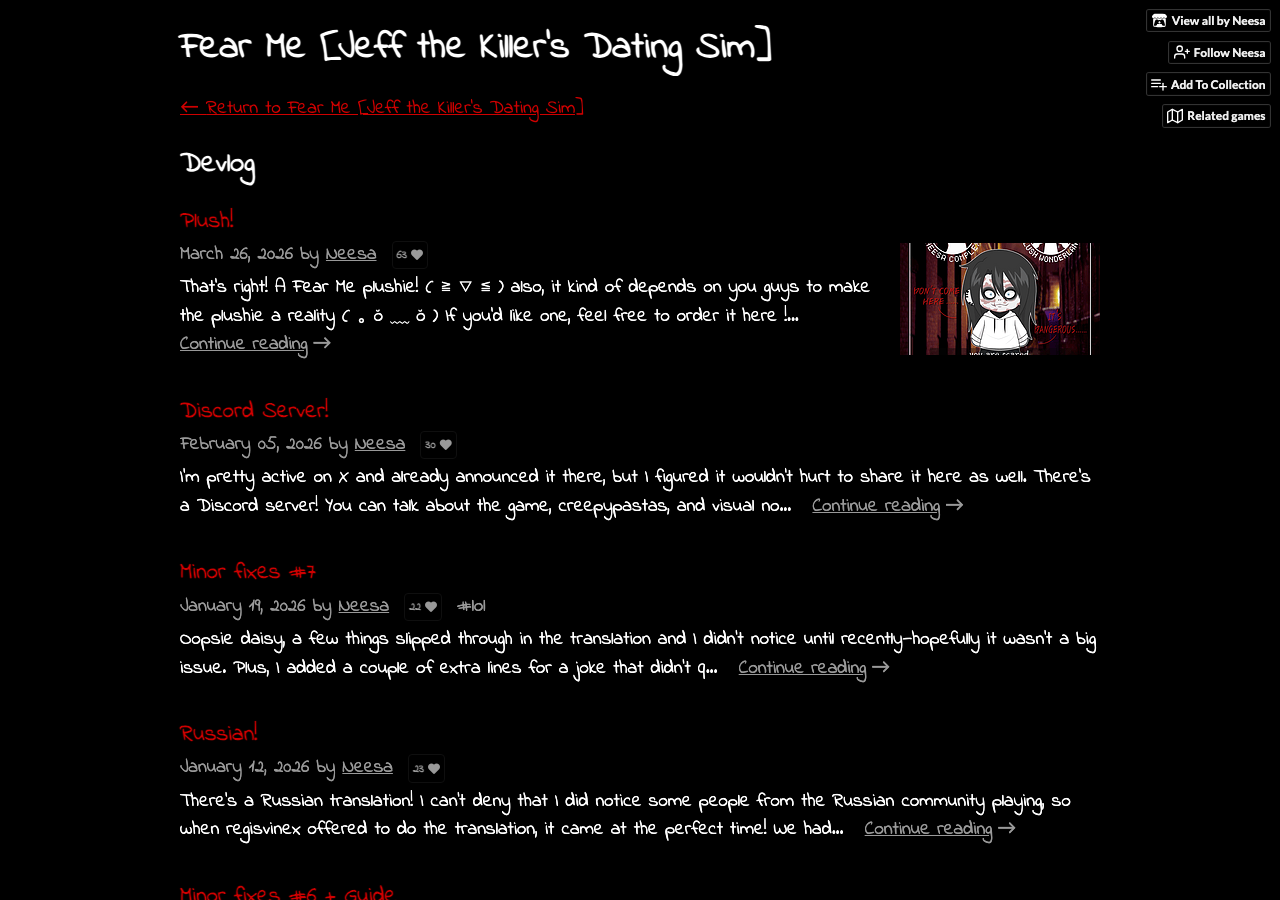
- Earlier maintenance history: Minor fixes #8 still describes the older v1.2.4 file set — useful as history, not as today’s download target.
- Guide context: Guide PDF lives on the same official page so ending/score notes match the build you installed.
Mirror hubs rarely surface that trail. If a page cannot point you to the creator, the current filename, and roughly matching sizes, it is not competing with the official source — it is guessing.
Third-Party Play and Guide Hubs You Will See in Search
Search for fear me play online or a Fear Me guide today and the results are crowded with unaffiliated sites rather than the creator’s page. The names that keep coming up (checked September 15, 2026) are creepydates.org, thefalsesun.org, horrorgames.io, kbhgames.com, fearme.online and fearmegames.org. None of them is Neesa’s itch.io page, and none of them is connected to this site.
- They are mirrors by another name. A hub that embeds or rehosts Fear Me is not the Fear Me official download — it sits between you and the creator with its own ads and its own copy of the files.
- Filenames still decide. Whatever page sent you there, the file that installs should still be
FearMe-1.2.6-pc.zip(~257 MB),FearMe-1.2.6-mac.zip(~252 MB) orFearMe-1.2.6-apk(~284 MB). A hub offering its own installer, its own downloader or a “mod” is not carrying the official build. - Browser play does not need any of them. The web build runs on the creator’s itch.io page and from the play button on the homepage, so a third-party hub is never the only way in.
- Guide pages have the same problem. A short endings summary on a hub is written from the same public devlogs and comments as everyone else’s — for the route itself, use the walkthroughs hub and the day guides it links, where saves and version are stated.
Seeing one of these names in a result is not proof of malware — it is proof that the page is not the creator. Judge the file rather than the domain, and run the checklist below.
Safe File Checklist
Use this checklist before trusting any Fear Me official download claim:
- Creator: The page should clearly point to Neesa or NeesaComplex on itch.io.
- Filename: Current desktop/APK files should follow the FearMe-1.2.6 pattern above.
- Platform: The file should match your device: web, PC, Mac, or Android APK.
- Guide PDF: The official source includes the Guide PDF context. A random guide-only download is not enough.
- No wrapper: The file should not require an extra downloader, browser extension, survey, or unrelated installer.
- No “modded” promise: Skip pages advertising unlocked routes, unlimited hearts, or altered APK builds.
- No third-party “only playable here” claim: Browser play is free on the official itch page and via this site’s homepage CTA — mirrors do not own a special build.
Official Download vs Mirrors vs This Site
| Source Type | What You Get | Risk Level |
|---|---|---|
| Fear Me official download on itch.io | Current FearMe-1.2.6 files, devlogs, Guide PDF, creator page, comments, support options. | Lowest risk. |
| This site homepage play CTA | Browser entry that points players to free play + official download notes (not a rehost of installers). | Low — still verify downloads on itch. |
| “Play online” / endings iframe hubs | Often embeds, ads, or short endings pages without creator file control. | High confusion; version and save behavior unclear. |
| Archive mirror | Possibly old files with unclear update status. | Useful only for history; risky for normal players. |
| APK repost | Android file with uncertain source and package behavior. | High risk if renamed or modified. |
| Guide PDF repost | Possibly a guide without matching game version. | Confusing for ending hunters. |
APK Mirrors Are the Biggest Trap
Most download confusion happens on Android because players search "APK" instead of "itch.io". APK mirrors often rank for game names because Android users are used to sideloading. That does not make them the right source. A mirror can be old, repacked, bundled with ads, or named in a way that hides the version. Even when the file is harmless, it can make troubleshooting impossible because other players cannot tell what build you used.
If you need Android, get the official APK from itch.io. Install over the existing app if you are updating. Keep the downloaded file name visible until you confirm it matches the current version. If Android warns you about unknown-source installs, read the prompt carefully and make sure you are allowing the browser or file manager you intended, not granting broad trust to a random downloader app. A safe file should feel boring and traceable.
PC, Mac, Linux, and Browser Choices
The Fear Me official download gives you several ways to play. Browser is best for trying the game quickly. PC and Mac downloads are better for long route sessions, especially if you want fewer browser storage surprises. Linux players should use the official PC/Linux-compatible file rather than a distro package unless the creator says otherwise. The Guide PDF should come from the same official ecosystem so route notes and file history do not drift apart.
Desktop players should avoid "portable repacks" unless they come directly from the creator. A visual novel is not improved by a third-party installer. Extract the official zip, keep the folder name with the version number, and create your saves before you begin serious ending work. If a mirror claims it has a smaller, faster, compressed, or unlocked build, ask what problem it is solving. For Fear Me, the answer is usually none.
How to Check a Suspicious Page
If a page claims to host the game, look for source links. Does it link to the creator? Does it show the same version number as the current official devlog? Does it preserve the game title instead of stuffing the page with generic "free APK download" text? Does it explain whether the build is PC, Mac, web, or Android? If the answer is no, close it and use itch.io.
Be especially skeptical of pages that ask you to disable browser protections, install a download manager, complete a survey, or allow notifications before reaching the file. The official Fear Me page does not need those tricks. A safe download page should make the source easier to verify, not harder.
What About the Guide PDF?
The Guide PDF is useful, but it should not become a separate mirror hunt. The Fear Me official download page and official devlogs tell you why the PDF exists: it helps with endings and score calculation after Easy Mode hearts are not enough. If you find a "Fear Me full guide PDF" on an unrelated domain, you do not know whether it is current, complete, or modified. Use the official PDF, then pair it with our Guide PDF and 50 hearts notes if you need route explanation.
FAQ
Where is the Fear Me official download?
The Fear Me official download is on Neesa's itch.io page for Fear Me [Jeff the Killer's Dating Sim]. Use the creator page and official devlogs as your source check.
Are Fear Me APK mirrors safe?
They are not the recommended source. Even a harmless mirror can be old or renamed, and a modified APK can create security and save problems. Use the official APK.
Can I play without downloading?
Yes. Use the official itch browser build or the homepage ▶ Play Game path. Browser is good for trying the game; desktop FearMe-1.2.6 zips are better for long ending runs. Prefer those two over unknown “play online” mirror hubs.
Why do some pages still say v1.2.3 or v1.2.4?
v1.2.3 and v1.2.4 were current earlier in 2026. The current official file set checked here is FearMe-1.2.6, so older version numbers on mirrors or outdated posts are version history unless the page has been updated.
How do I know a download is not a mirror?
Confirm the itch creator page, then match the filename to the FearMe-1.2.6 table above. If the site renames the APK, adds a downloader, or never links Neesa’s itch page, treat it as a mirror and leave.