Fear Me Russian Translation & Language Guide
Type: Localization/How-to · Updated: Jun 18, 2026 · Tags: fear me Russian, translation, language, v1.2.2
Players searching Fear Me Russian, Fear Me translation, or Fear Me language usually want one of three things: confirmation that Russian is official, help choosing the right version, or reassurance that switching builds will not break saves. The short answer: the Russian translation is an official update, added in the v1.2.2 cycle, and the current v1.2.6 files should be the safer starting point for new players.
Is the Russian Translation Official?
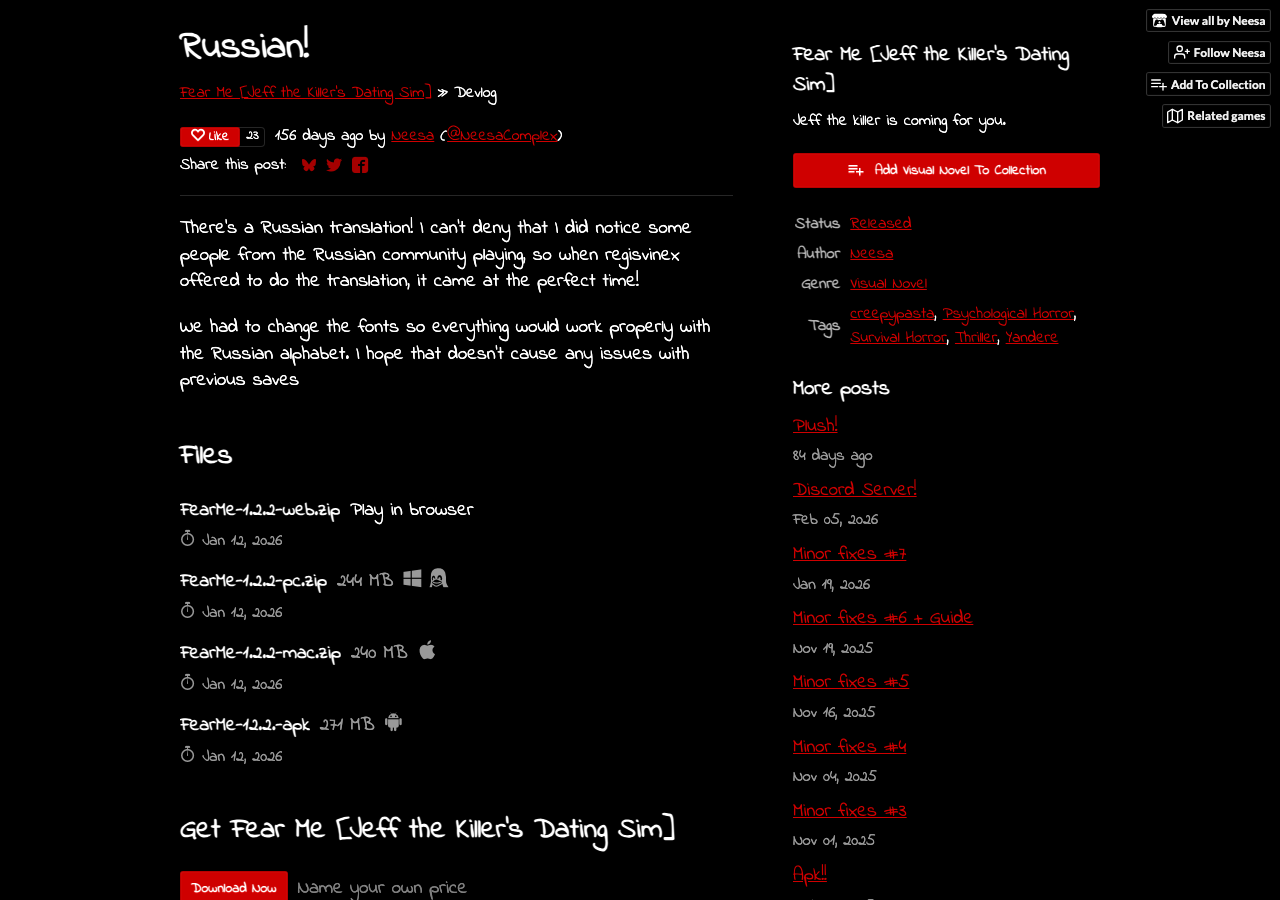
Yes. The official itch.io devlog includes a post titled Russian!, published on Jan 12, 2026. The post explains that a Russian translation was added after interest from Russian-speaking players, and that the game fonts had to change so the Russian alphabet would display properly. That is the important part for players: this was not a fan mirror, not a separate mod pack, and not a random patch file. It was part of the official upload history.
The Russian devlog lists v1.2.2 files for web, PC, Mac, and APK. A later official update, Minor fixes #7, moved the public file set forward to v1.2.3 and cleaned up translation slips, while Minor fixes #8 moved the files to v1.2.4 and the later “Update!” post took them to v1.2.5, with the download list now showing v1.2.6. For most players, that means you should not hunt for the old v1.2.2 upload unless you have a specific archive reason. Start from the current official page and use the newest listed build.
Which Version Should You Download?
If you are a new player, use the current official files from the main itch.io page. The latest visible build on the official page is v1.2.6, with PC, Mac, web, Android, Guide PDF context, and credits listed. That gives you the Russian translation plus later cleanup. If you are returning from a v1.1.x guide, do not follow old file names blindly. v1.1.1 was a post-launch patch, v1.1.4 added the official guide, v1.2.2 added Russian, v1.2.3 fixed additional translation issues, v1.2.4 was a maintenance build, and v1.2.5 added the Extras menu ahead of the current v1.2.6 files.
If you already have a save from an older build, treat the update like a normal visual-novel version move: keep your old copy until the new one opens correctly, confirm save slots before deleting anything, and avoid uninstalling the Android APK first. Translation updates are usually safe, but font changes and platform differences are exactly the kind of small technical shift that can expose save or display issues on some systems.
Language and Save Precautions
The developer specifically noted a font change for Russian alphabet support. That does not automatically mean saves break. It does mean players should be calm and methodical when switching versions. Before changing language or updating from an older build, open your current game, check the load menu, and create a fresh manual save at a low-pressure point. If possible, keep a save at the start of the current in-game day rather than only inside a final-choice scene.
Browser players should remember that saves live in browser/site storage. Do not clear site data, use a private window, or jump between browsers while testing languages. APK players should install the update over the existing app if Android allows it. Desktop players should keep the old folder until the new build proves that your saves are visible. If your save vanishes, stop experimenting and use the save troubleshooting guide before you overwrite evidence.
What If Text Looks Wrong?
If Russian characters render as boxes, missing glyphs, broken spacing, or strange line breaks, first confirm that you are using the official current build. Old mirrors may carry outdated files. Then test the same scene in a fresh browser profile or the downloaded build. Browser extensions, aggressive translation overlays, and mobile text scaling can all make a visual novel look broken when the game files are fine.
On desktop, make sure you extracted the full zip before launching. Running a game partially from inside an archive can cause missing assets or odd file access behavior. On Mac, if the app does not open because of security prompts, use the normal macOS open flow for unsigned indie apps rather than downloading a repack. On Android, a mismatch between an old APK and a new APK from a different source can cause update conflicts. That is another reason to stay with the official itch page.
Current Language Timeline
| Update | What It Means | Player Action |
|---|---|---|
| Chinese Version | Earlier localization support appeared before full release. | Use official posts for context, not random language packs. |
| Release | The complete game launched with the main story and endings. | Use current files if starting now. |
| Minor fixes #6 + Guide | The official Guide PDF was added for endings and score logic. | Download the PDF if you are route hunting. |
| Russian! | Russian translation and font support landed in v1.2.2. | Update carefully and confirm saves. |
| Minor fixes #7 | v1.2.3 cleaned up translation slips and added small joke-line fixes. | Treat it as version history now that v1.2.6 is current. |
| Minor fixes #8 | v1.2.4 added a maintenance file set, including icon and music-track cleanup. | Use v1.2.6 as the practical current build. |
Should You Replay in Another Language?
Yes, if you enjoy tone differences. Horror visual novels can change a lot in translation because threat, teasing, panic, and dark humor all depend on timing. A line that feels playful in one language can feel colder in another. A joke can land differently. If you already know the route, replaying a favorite scene in another language can be worthwhile, especially if you are comparing Jeff's reactions or checking how the game handles affectionate, frightened, and defiant choices.
Do not use machine translation over the game window as your main solution unless you have no other option. It can interfere with text display, spoil scene timing, and sometimes misread names or UI labels. Official localization is cleaner because it is integrated into the game and tested around the script.
Where This Fits With Other Guides
If your question is only “what is the newest version?”, use the latest version guide. If your question is “which desktop file do I need?”, use the PC, Mac, and Linux download guide. If your question is “did updating break my save?”, go to the save troubleshooting page before replaying. Language updates should make the game easier to enjoy, not turn your ending hunt into a file-management mess.